
Where to Put Your Career Profile Link (and How to Share It With Recruiters)
Where should you put your career profile link? The best placements — LinkedIn, job applications, your resume, and recruiter DMs — plus how to tailor it to a specific job.
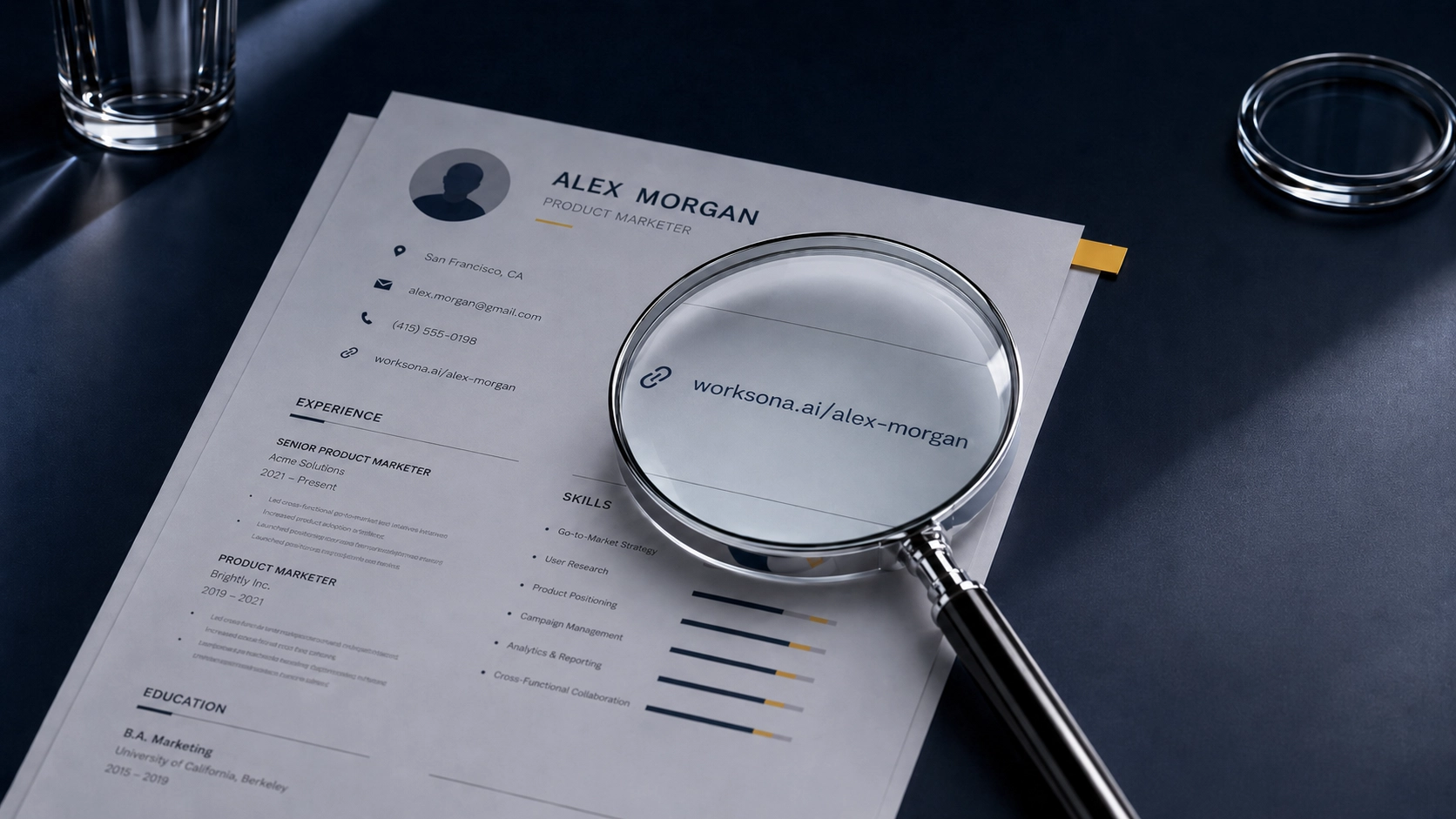
A profile link only does its job where a recruiter actually runs into it — and where the payoff is obvious enough that they click. We've already covered what to send a recruiter besides your resume; this is the other half of that question — where and how to share it. Below is every high-value spot to put your link, what to write next to it, and the one move most candidates miss: tailoring the link to the specific job.
Best places to share your link, at a glance
- LinkedIn — the Featured section, the "Website" field, and a line in your About.
- Job applications — the "website," "portfolio," or "personal URL" field.
- Your resume — one clean link in the header or contact line.
- Recruiter messages — LinkedIn DMs and cold or warm emails.
- Email signature — a quiet, always-on touchpoint.
- A tailored link for a specific role — the highest-converting version of all of the above.
On LinkedIn
LinkedIn is where most recruiters look first, so it's the most valuable place to put your link — in a few spots at once:
- Featured section. Add the link as a featured item with a clear title like "My interactive career profile." This is the most visible, most clickable placement on your profile.
- The "Website" contact field. Edit your intro → contact info → add the URL with a custom label. It shows on your profile and stays attached to you.
- Your About section. One line near the end — "You can explore my full background and ask it questions here: [link]" — catches anyone who reads that far.
Don't bury it. A link a recruiter has to hunt for is a link that doesn't get clicked.
On job applications
Most application forms and ATS profiles have a "website," "portfolio," or "personal URL" field that goes almost entirely unused — which is exactly why filling it in stands out. Put your profile link there. It's the rare spot where you can add real depth to an application without cramming more onto the resume.
If there's no such field, your resume is the fallback.
On your resume
Yes, put a link on your resume — one, clean, in the header or contact line, right alongside your email and LinkedIn. Label it plainly (for example, "Interactive profile:" followed by the URL).
Two rules. Make it a real, short, clickable URL, not a hyperlink buried under text that a printed or ATS-parsed resume will lose. And make sure it points somewhere that immediately shows more than the resume itself — otherwise the click is a dead end.
In messages to recruiters
When you DM a recruiter on LinkedIn or send a cold or warm email, the link is your "here's more if you want it" — not your whole pitch. Keep the framing light:
"I've attached my resume — and here's an interactive profile if it's useful. It covers my background and projects in more depth, and you can ask it questions directly."
You're offering more, not demanding more attention. The curious recruiter goes deeper; the busy one isn't put off.
The power move: a tailored link for a specific job
Here's what almost nobody does — and where an interactive profile pulls ahead of any static link. Instead of sending the same generic profile everywhere, you can send a private, tailored version built around a specific job.
With Worksona, you can create a private link for a particular role, and the profile draws on the job description plus your full career narrative — so it surfaces the experience, projects, and proof most relevant to that exact job. When a recruiter opens it, they don't see a generic career page; they see a profile that already speaks to what they're hiring for, and they can question it in that context.
That's the difference between "here's my background" and "here's my background, aimed at your role." For targeted outreach — the specific job you actually want — it's the version worth sending.
Frequently asked questions
Should you put a link on your resume? Yes — one clean, clearly labeled link in the header or contact line, alongside your email and LinkedIn. Make sure it's a real clickable URL, and that it points somewhere that immediately shows more than the resume does.
Where do you put a portfolio or profile link on LinkedIn? The Featured section (most visible), the "Website" field in your contact info, and one line in your About section. Use all three; the Featured section gets the most clicks.
What do you put in the "website" field on a job application? Your portfolio or career profile link. The field is usually optional and mostly ignored, so filling it with something substantive — a profile a recruiter can actually explore — is an easy way to stand out.
Can you tailor your profile to a specific job? With an interactive profile like Worksona, yes — you can create a private link tailored to a specific role, where the profile uses the job description and your career history to highlight what's most relevant to that job.
Is an interactive career profile the same as a personal website? No. A personal website is usually a static destination someone has to browse. An interactive career profile is built around questions — a recruiter can ask about your experience, projects, strengths, or fit for a role and get answers from the context you've provided. We compare the two head-to-head in personal website vs. interactive career profile.
The bottom line
A great profile is wasted if recruiters never encounter it. Put your link everywhere they look — LinkedIn, applications, your resume, and direct messages — label it clearly, and make sure it opens into something worth the click. And when you're going after a specific role, send a tailored link, not a generic one.
If you want a profile that's easy to share everywhere and can be tailored to the exact job you're chasing — and that answers a recruiter's questions on its own — that's exactly what Worksona was built for. Create your profile and put a link worth clicking everywhere a recruiter looks.

Career insights, straight to your inbox
Occasional, no-spam notes on standing out, the job search, and what we’re building at Worksona.
No spam. Unsubscribe anytime.